
Overview
Log ingestion settings allow you to:- Include only specific logs that match certain patterns
- Exclude sensitive or unnecessary logs from being sent out of your cluster
- Apply filters based on services, namespaces, or any log attribute
- Control log ingestion across different environments
- Pause filters temporarily without deleting their configuration
Configuring Log Filters
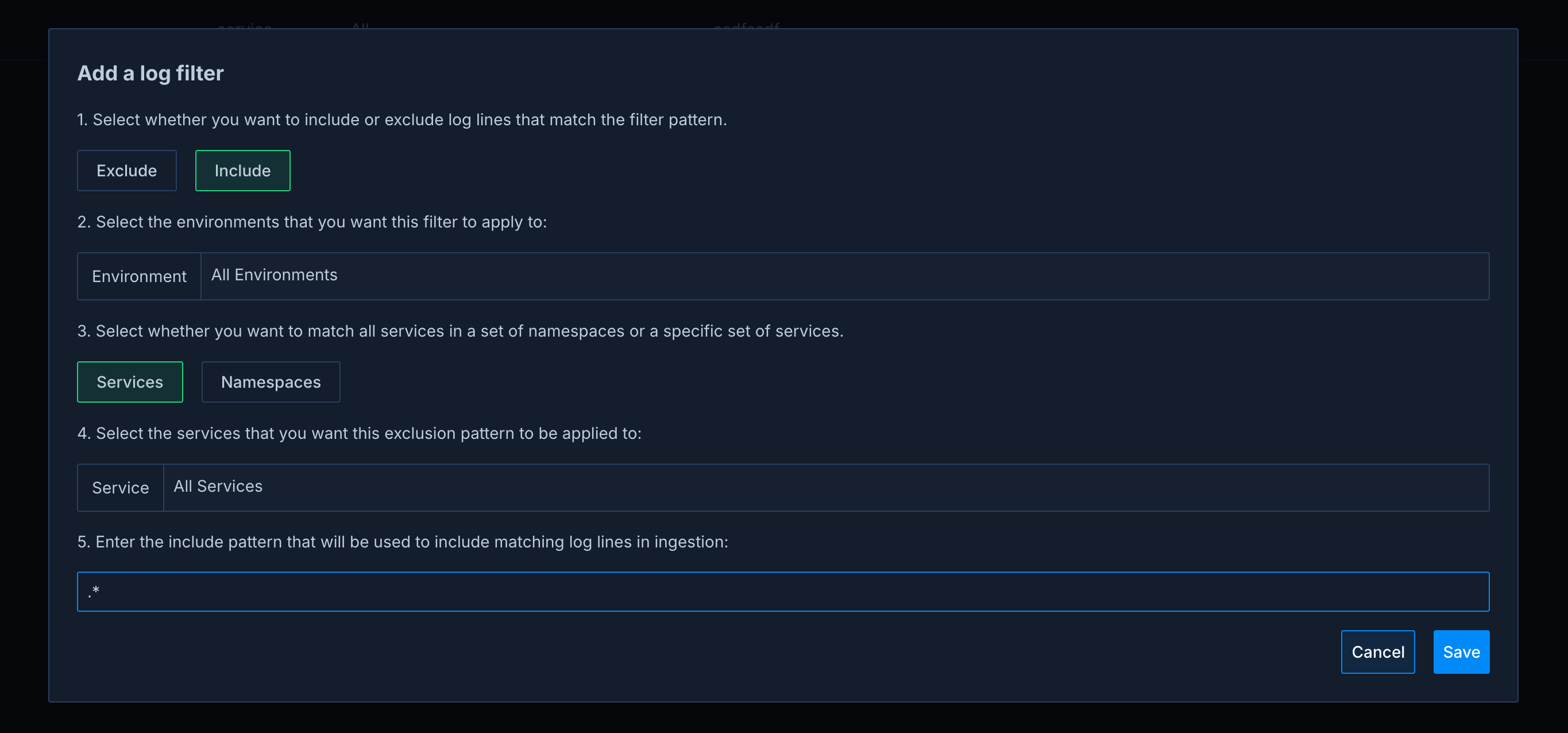
You can configure log filters from the settings page under the Data Ingestion Settings -> Log Filters tab. Drop rules can also be declared as Kubernetes custom resources and managed through GitOps; see CRD Managed Ingestion Rules. Filters managed that way appear here with a Managed badge and are read-only in the UI. Each log filter consists of:- Include/Exclude Pattern: Choose whether to include or exclude logs that match your filter
- Environment Selection: Apply the filter to specific environments or all environments
- Filter Type: Filter by services, by namespaces, or build a custom filter on any log attribute
- Matching Criteria: The services, namespaces, or attribute values to match, plus optional message patterns in re2
Filter Types
- Service: Match logs from specific services (or all services), optionally combined with a message pattern.
- Namespace: Match logs from specific namespaces, optionally combined with a message pattern.
- Custom: Match logs on any attribute, the same way you search them in the logs view. A custom filter combines attribute values to match, attribute values to exclude, and message regexes to match or exclude. Any attribute you can search logs by can be used, including the detected
log_level, Kubernetes metadata, and fields of your structured logs.
Pausing Filters
You can pause a log filter from the filter table when you want to temporarily stop applying it without deleting the rule. Paused filters remain visible in settings and can be resumed later. While paused, the filter is not sent to exporters and does not affect which logs leave your cluster.Include Filters
Include filters allow you to specify which logs should be sent to Metoro. Only logs matching these patterns will be sent out of your cluster. This is useful when you want to:- Only collect logs from specific services
- Only ingest logs containing certain patterns
- Limit log ingestion to specific namespaces
- Only ingest logs with specific attribute values, for example a minimum log level
Exclude Filters
Exclude filters prevent matching logs from being sent to Metoro. This is useful for:- Protecting sensitive data
- Reducing noise from verbose logging
- Managing ingestion costs
- Filtering out unnecessary debug logs
Best Practices
- Start with Broad Patterns: Begin with broader patterns and refine them based on your needs
- Test Your Patterns: Use the regex pattern carefully to ensure you’re not accidentally excluding important logs
- Regular Review: Periodically review your filters to ensure they still align with your needs
- Adjust log alerts: If you have log alerts set up, make sure they are up to date with your log filters
Examples
Here are some common use cases for log filters:- Exclude Sensitive Data
password=.* from the auth-service service in authorization namespace in all environments.
- Include Only Error Logs
ERROR or FATAL from all services in the namespaceX namespace in all environments.
- Exclude Debug Logs
DEBUG from all services in the dev environment.
- Exclude by Attribute (Custom Filter)
debug, regardless of how the message is formatted. Custom filters can match on any log attribute and can combine attribute matches, attribute exclusions, and message regexes in one rule.