
Overview
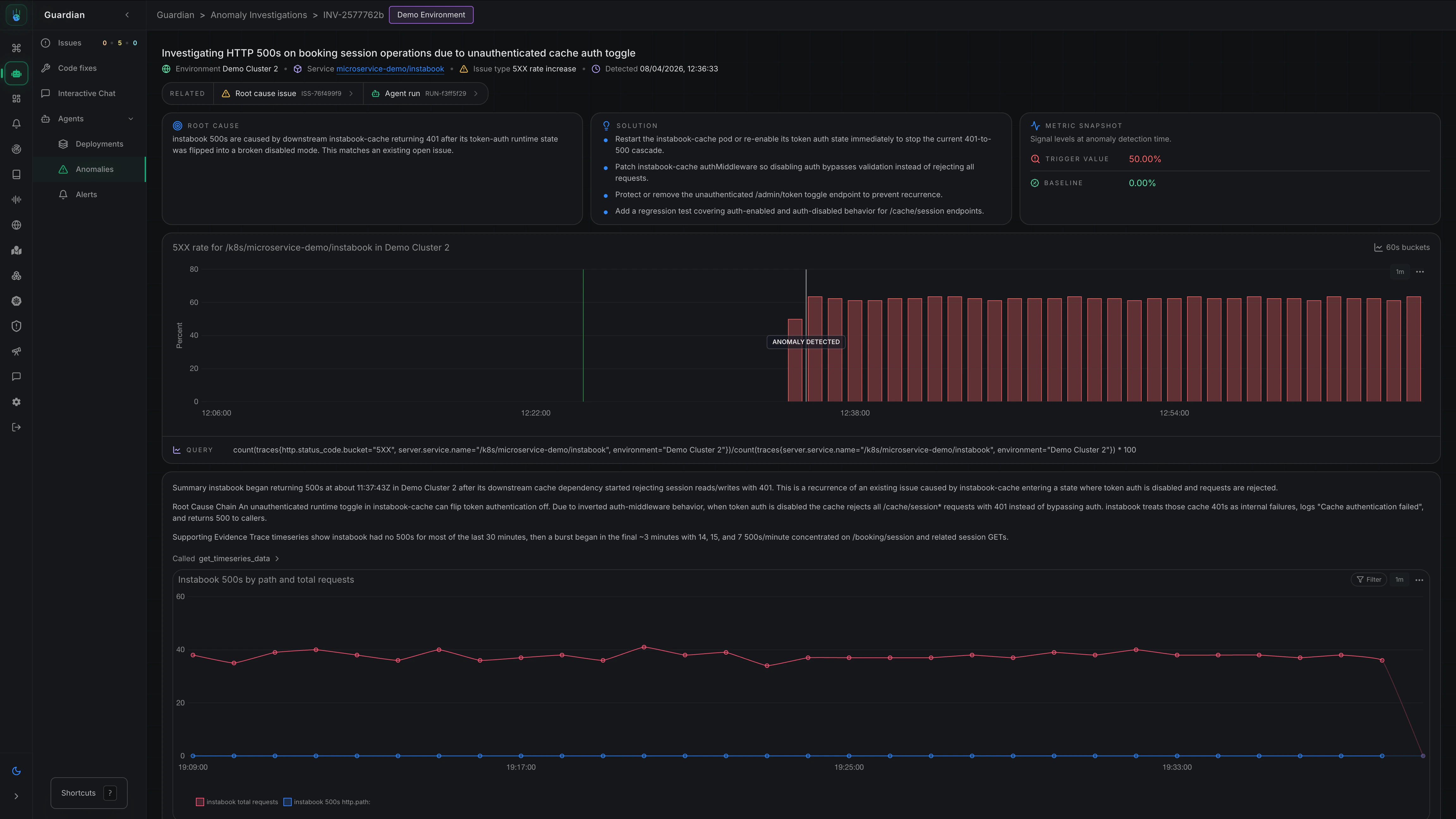
Metoro’s autonomous issue detection workflow automatically identifies unusual patterns in your systems without requiring you to configure explicit alert thresholds first. When an anomaly is detected, Metoro investigates whether the behavior is expected noise or a real production issue and, if it is real, continues to the likely root cause. You can see all Anomaly Detection investigation from Guardian -> Agents -> Anomalies in Metoro. Take me there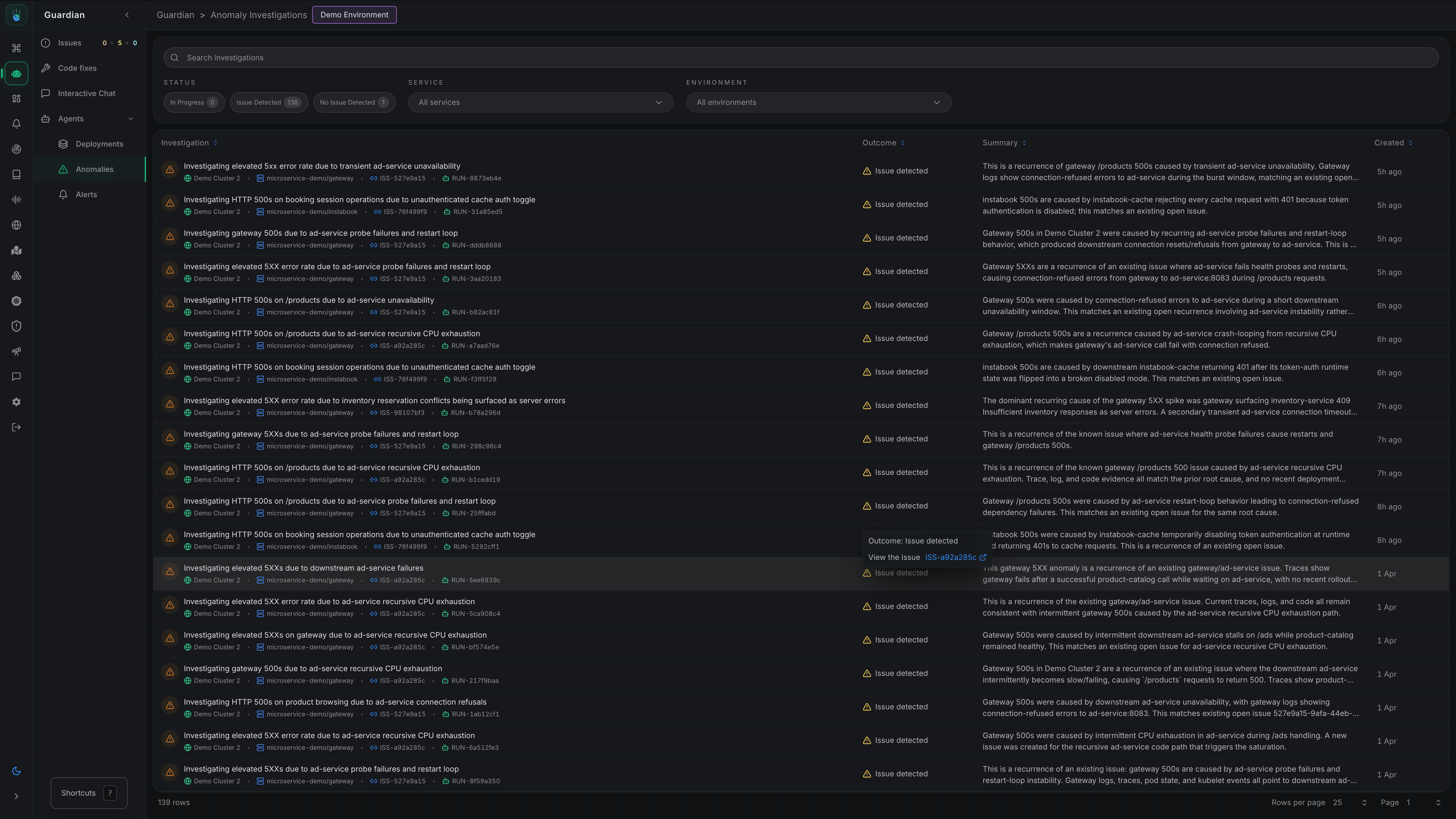
How It Works
- Detection - Metoro continuously monitors your systems for anomalous behavior
- Investigation - When an anomaly is detected, Metoro automatically runs an investigation
- Analysis - Metoro determines whether the anomaly represents a real issue
- Notification - If an issue is confirmed, Metoro posts to Slack with its findings
Types of anomalies detected
Metoro anomaly detection currently covers:- 5XX error rate spikes
- Pod failure spikes for:
CrashLoopBackOffImagePullBackOffErrImagePullOOMKilledInit:Error
Enabling anomaly detection
Step 1: Navigate to Settings
Go to Settings → Features → Anomaly Detection Take me thereStep 2: Enable Anomaly Detection
Toggle Enable Anomaly Detection to activate the feature.Step 3: Configure Detection Scope
Select which services and environments should have anomaly detection enabled:- Services - Choose specific services or select all
- Environments - Choose specific environments (e.g.,
prod,staging)
Configuring notifications
Autonomous issue detection uses the same flexible notification configuration as other AI SRE workflows.Setting Up Notification Rules
- Navigate to Settings → Features → Autonomous Investigation
- Click Add Notification Configuration
- Configure:
- Services - Which services should trigger notifications
- Environments - Which environments should trigger notifications
- Destination - Where to send notifications (Slack channel, webhook, etc.)
Example Configurations
- Critical Services
- All Production
- Team-Specific
Route anomalies for critical services to an incidents channel:
- Services:
payment-service,auth-service,checkout-service - Environments:
prod - Destination:
#incidents
How this differs from alerts
Anomaly Detection and Alerts are complementary. Use alerts for known failure modes with specific thresholds, and anomaly detection to catch unexpected issues.
Per-workload configuration
You can customize anomaly detection behavior for individual workloads using Kubernetes annotations. This allows you to fine-tune detection windows or disable detection entirely for specific services.Available Annotations
The evaluation window must be at most half the baseline window (e.g., if baseline is 10 minutes, evaluation can be at most 5 minutes). This ensures statistical validity of anomaly detection.
Example: Disable Detection for a Service
For services with expected high error rates or batch jobs:Example: Shorter Detection Window
For services where you want faster detection at the cost of potentially more false positives:Example: Longer Baseline for Stable Services
For stable services where you want to reduce noise:Anomaly Detection Coverage Matrix
Anomaly detection in Metoro is driven by a set of detectors that monitor for anomalies. When a detector is triggered, it causes Metoro to investigate to determine if it represents a real issue. We are always adding new detectors to improve coverage to reduce the chance of false positives.Yes means the issue type is monitored by anomaly detection today.Beta means the detector is available in limited rollout or behind a feature flag while tuning continues.Alpha means the detector is in active development and early validation before broader rollout.Development means the detector is in active development but not yet validated for signal quality.No means the issue type is not currently monitored by anomaly detection but is in the backlog for future development.Advisor means the signal is surfaced in Advisor rather than kicking off an anomaly investigation.Best practices
Start with Production
Focus anomaly detection on production environments first, where issues have the most impact.Review investigation quality
Periodically review the investigations to ensure they’re finding real issues:- Are the anomalies significant?
- Is the root cause analysis accurate?
- Provide feedback to improve detection
Combine with alerts
Use both anomaly detection and alerts:- Alerts for critical thresholds you always want to know about
- Anomaly detection for catching unexpected issues
Tune notification routing
Route notifications appropriately:- Critical services → dedicated incident channels
- Non-critical services → general monitoring channels
Related documentation
Deployment Verification
Automatic verification of deployments
AI Alert Investigations
Investigate firing alerts with AI
AI Runbooks
Configure investigation runbooks for alerts
Alerts
Configure threshold-based alerts