
Overview
Metoro can investigate firing alerts with AI. This works for alerts configured directly in Metoro and for alerts sent from third-party platforms such as Datadog. When an alert is sent to Metoro for investigation, Metoro does more than forward the alert. It determines whether the alert is noise or a real production issue and, when it is a real issue, continues the investigation to the root cause with supporting evidence. This is especially useful for alerts that are high-value but expensive to triage manually. Instead of sending your team straight into dashboards, Metoro sends an investigation first. To see Alert investigation in Metoro, go to Guardian -> Agents -> Alerts.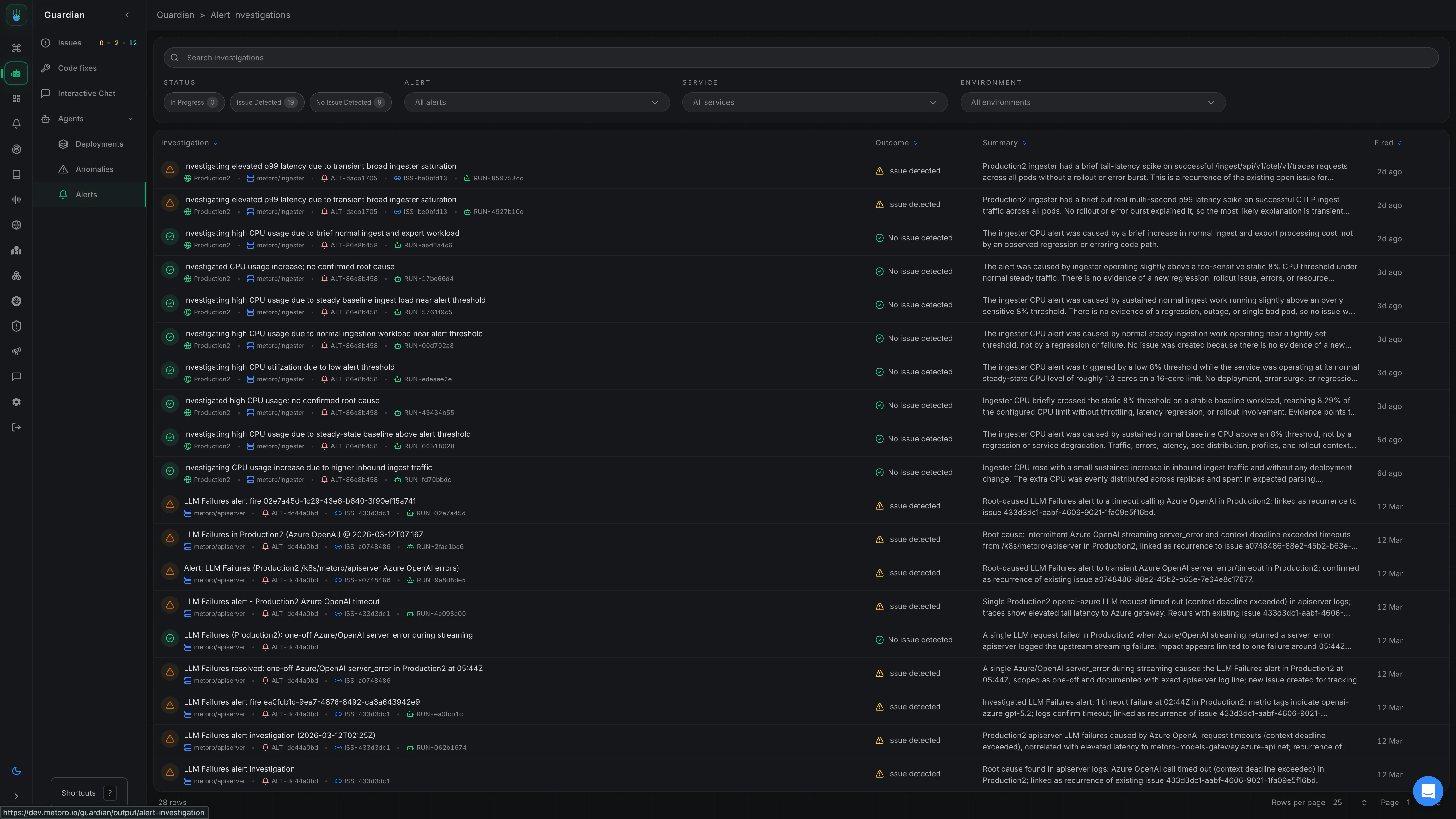
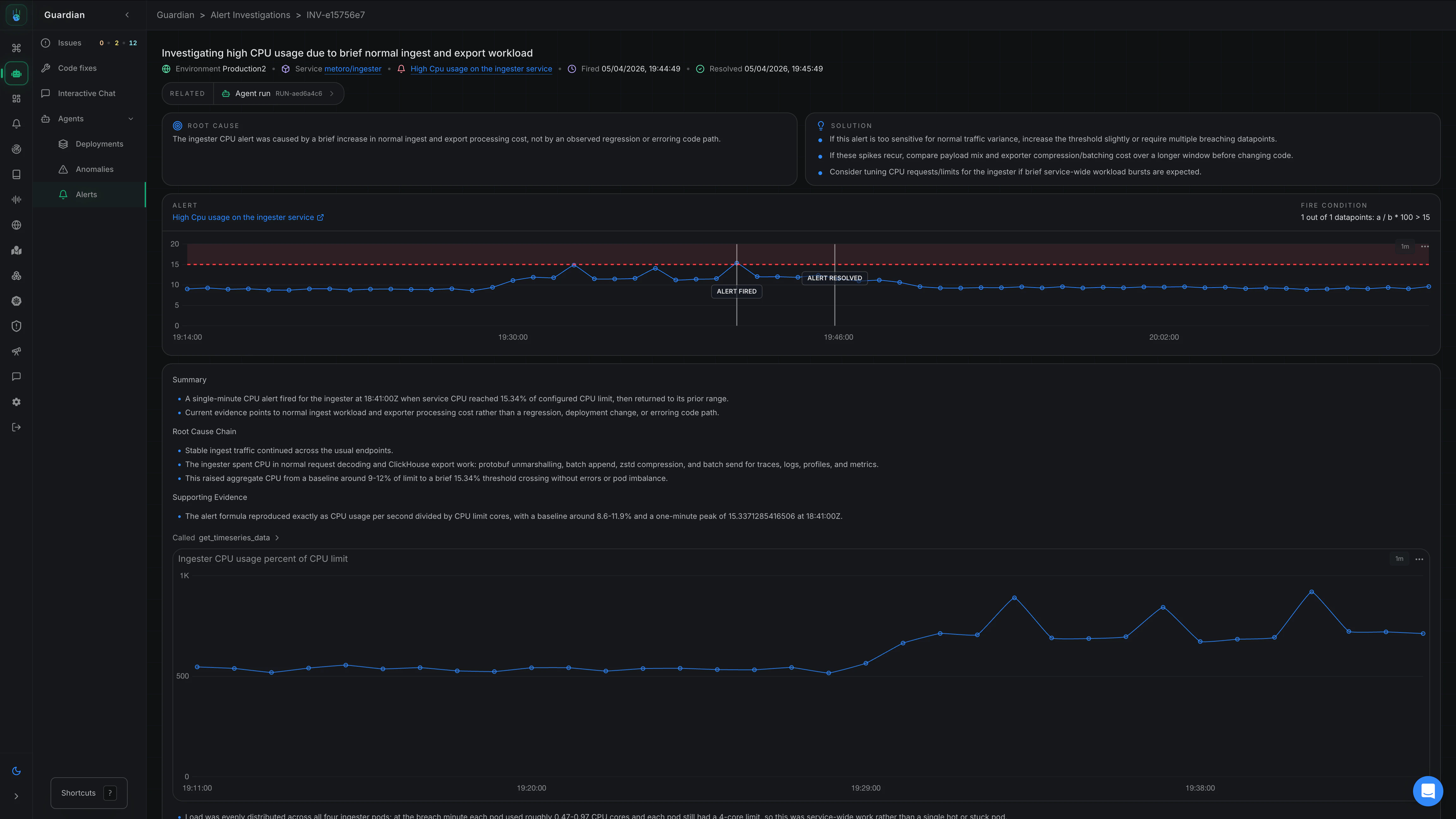
How it works
- An alert fires based on your configured condition.
- Metoro gathers the alert context, recent deployments, telemetry, and Kubernetes state around the firing window.
- Metoro determines whether the alert appears to be noise or an actual production issue.
- If it is a real issue, Metoro continues investigating until it can identify the likely root cause.
- Metoro sends the findings and supporting evidence to the configured destination.
What Metoro looks at
Depending on the alert and the data available, Metoro can correlate:- Metrics and error-rate changes
- Logs and new error patterns
- Traces and latency regressions
- Pod status, restarts, OOMs, and infrastructure health
- Kubernetes events and recent configuration changes
- Recent deployments
- Code changes and generated fixes, when Code Fixes are configured
How to enable AI alert investigations
Alerts configured in Metoro
- When creating or updating an alert, you can enable Guardian AI investigation as the final step.
- When the alert fires, Metoro will automatically investigate it and return the findings in the configured destination for AI investigations.
Alerts from third-party platforms
Metoro can also investigate alerts from third-party platforms such as Datadog. Full webhook-based third-party alert investigation is enabled on a custom-request basis. Contact your Metoro representative or email support@metoro.io to have it enabled for your account. Third-party alert investigation is set up by sending alert webhooks to Metoro. When Metoro receives an alert webhook event, it uses the information available in that webhook to investigate the alert. At a minimum, the webhook should include:- Service name
- Environment
- Alert configuration, including the metric that fired
- The configured threshold
- The current value that breached the threshold
Recommended setup
- Start with production alerts that already have a good signal-to-noise ratio.
- Pair alert destinations (Slack, PagerDuty, email, or webhooks) with investigation notifications (Slack, email, or webhooks) so your team receives both the alert and the investigation output.
- Include service, environment, metric, and threshold details when sending third-party alert webhooks to Metoro.
- Connect GitHub if you want investigations to include recent code context and suggested fixes.
- Add AI runbooks when you want Metoro to follow team-specific investigation instructions.
How this differs from autonomous issue detection
- Autonomous issue detection starts from unusual telemetry patterns that Metoro discovers on its own.
- AI alert investigation starts from an alert that you already configured in Metoro or forwarded from a third-party alerting platform.
- Both workflows use the same telemetry foundation and the same AI reasoning layer, but they start from different signals.
Related documentation
Alert Destinations
Configure AI investigations as an alert destination
AI Runbooks
Add investigation instructions for alert-driven workflows
Autonomous Issue Detection
Detect and investigate production issues without preconfigured alerts
Code Fixes
Add repository context and generated fixes to investigations