
Overview
Issues is the durable list of production issues that Metoro has identified across its AI investigation workflows. Instead of treating each investigation as an isolated event, Metoro groups repeated recurrences of the same underlying problem into a single issue so your team can track status, history, and follow-up work in one place.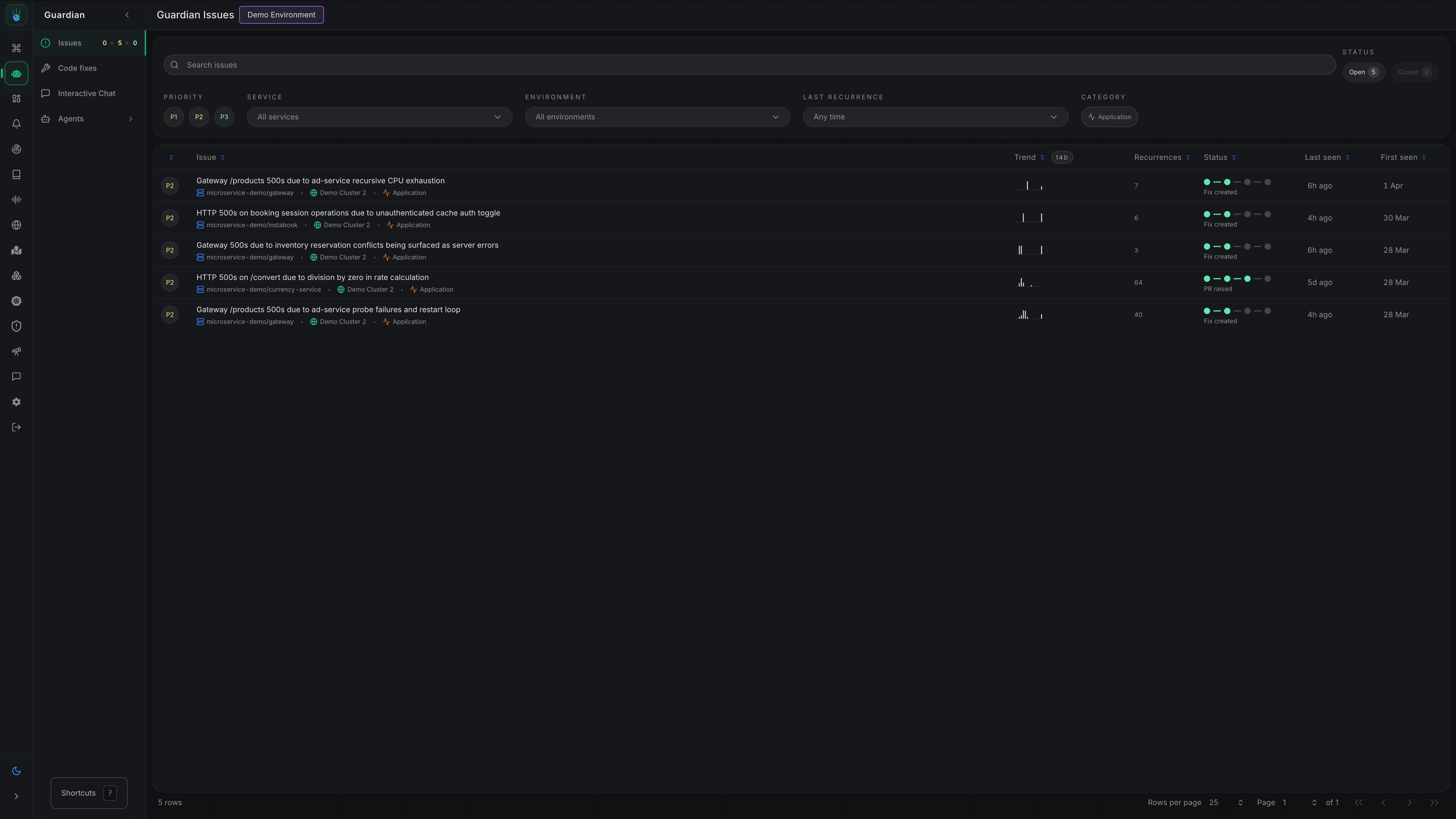
- See which production problems are still open
- Prioritize by severity and recurrence
- Review the latest investigation behind an issue
- Follow related code fixes and remediation work over time
How Issues Work
When Metoro determines that an investigation reflects a real production issue, it can create or update an issue. Each issue becomes a long-lived record of that underlying problem, including:- A title and summary
- Open or closed status
- Priority (
P1,P2,P3) - Category (
applicationorinfrastructure) - Affected services and environments
- Recurrence history and last seen time
- Links to related investigations and generated code fixes
Issue Details
Opening an issue gives you the full context Metoro has accumulated about that problem.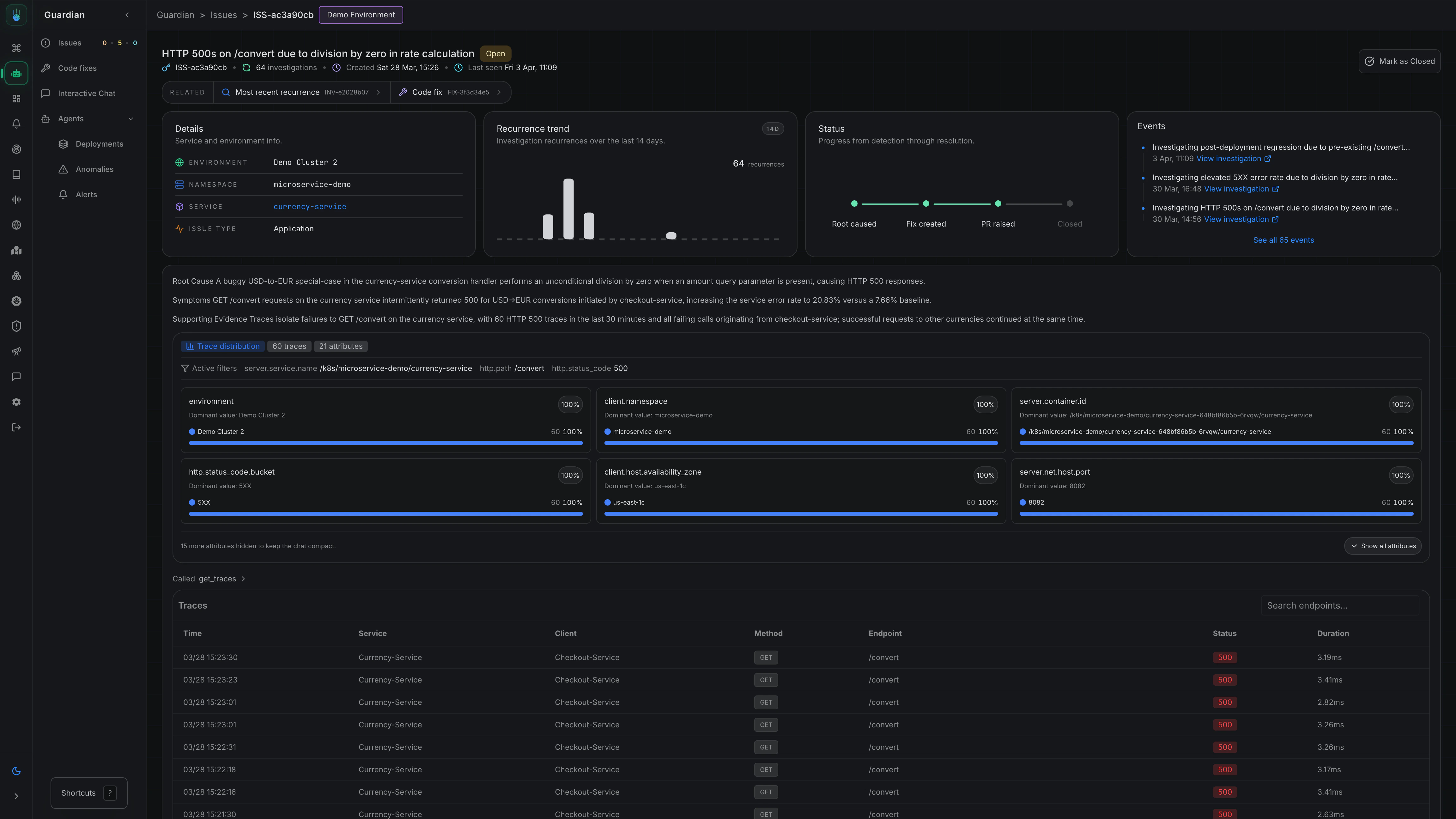
- The issue description and current status
- Created time and last seen time
- Environment, namespace, service, and category
- A recurrence trend and status journey
- An event timeline showing related investigations and activity
- Related resources such as the most recent investigation and any generated code fix
Automatic Issue Closure
To keep the issue list focused on active problems, Metoro automatically closes issues that have gone quiet: once a day, any open issue that is older than 2 weeks and has had no new recurrences in the last 2 weeks is closed. An entry is added to the event feed when this happens, just like a manual close. Updating an issue (for example editing it or reopening it after a close) resets the 2-week clock, so a reopened issue stays open for at least another 2 weeks before it can be closed automatically again. If the problem recurs later, Metoro links the new investigation to the same issue as usual. Automatic closure is enabled by default. To turn it off for your organization, go to Settings → Features → Issue Detection and disable Automatic Issue Closure.Notifications
If you want your team to be notified when Metoro creates a new issue, you can use the Issue Notification feature. Go to Settings → Features → Issue Detection to set up notification filters and channels. Take me there Learn more about AI SRE notifications →Related Docs
AI SRE Overview
Understand how AI SRE fits into Metoro’s broader workflows.
Autonomous Issue Detection
Learn how Metoro detects abnormal behavior and investigates it automatically.
AI Alert Investigations
Investigate firing alerts and continue to root cause when needed.
Code Fixes
Add code context and generated fixes to investigations and issues.