> ## Documentation Index
> Fetch the complete documentation index at: https://metoro.io/docs/llms.txt
> Use this file to discover all available pages before exploring further.
# Service Map
> Visualize and analyze service-to-service communication in your clusters
## Overview
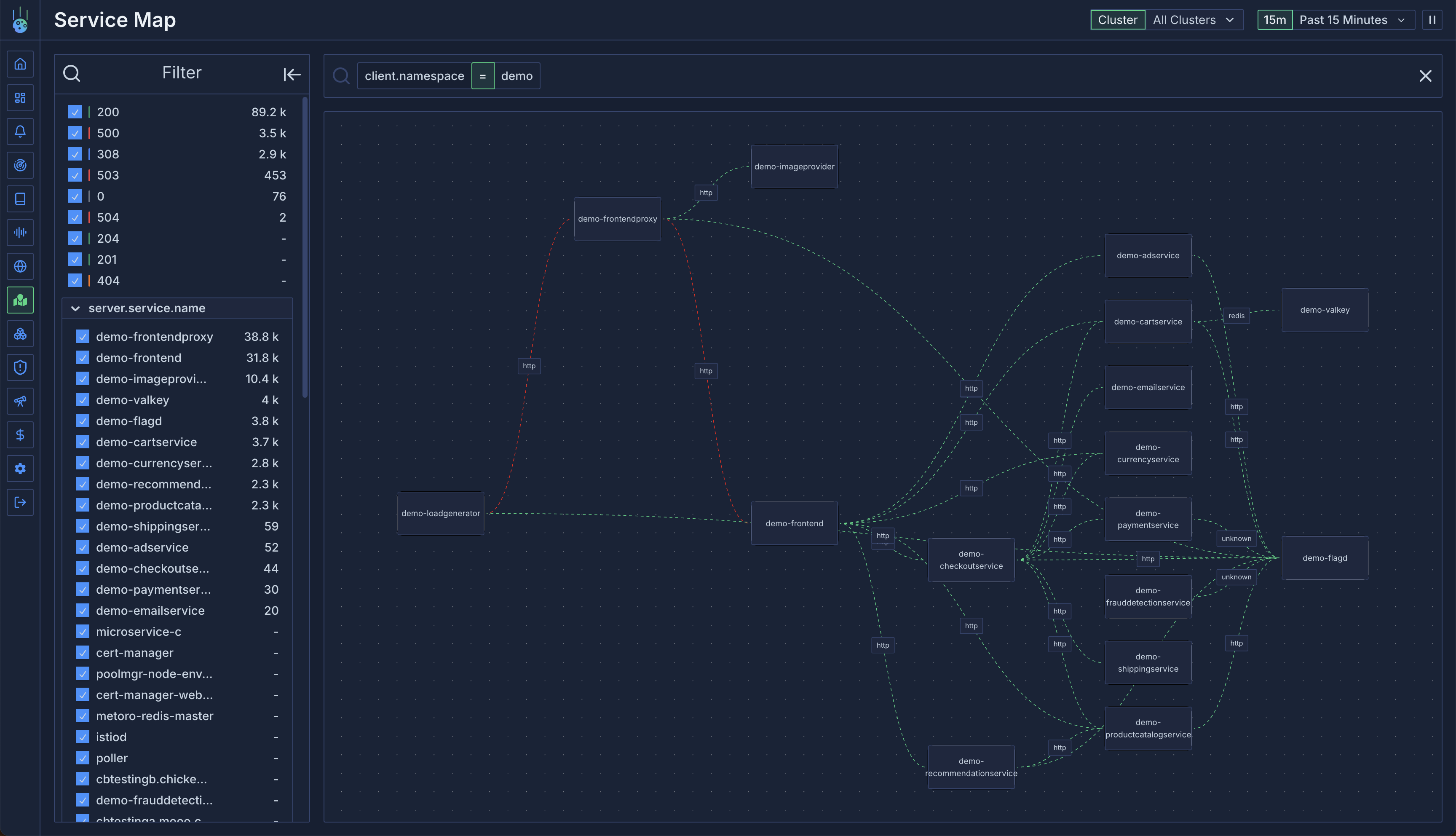
The service map is a powerful visualization tool in Metoro that displays connections between services in your cluster. Built on [trace data](/traces/overview), it provides insights into:
* Service-to-service communication within your cluster
* External client requests entering your cluster
* Outbound requests from your services to external dependencies
## How It Works
The service map is dynamically generated from trace data by:
1. Analyzing each request's client and server containers
2. Identifying service boundaries
3. Creating visual connections between communicating services
4. Detecting external traffic patterns
 ## Connection Types
### Internal Connections
Lines between services represent internal cluster communication:
* Green lines indicate healthy connections
* Red lines indicate errors (5xx responses or traced errors)
* Line thickness represents traffic volume
### External Traffic
The service map identifies two types of external traffic:
1. **External Clients**:
* Detected when only server-side traces exist
* Shows incoming traffic from outside the cluster
* Helps monitor external access patterns
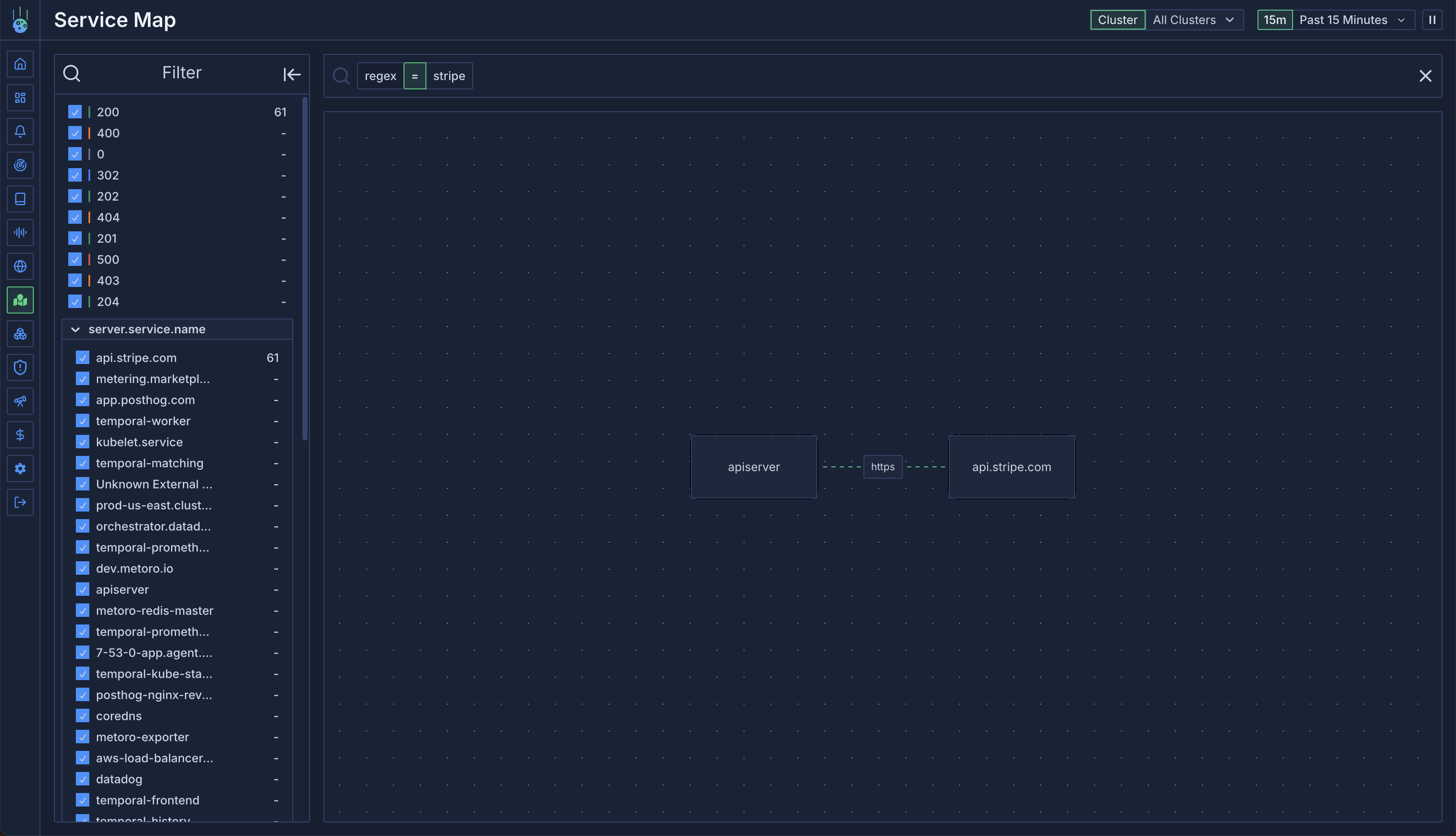
2. **External Services**:
* Identified by analyzing outbound request destinations
* Groups requests by hostname (e.g., `api.stripe.com`)
* Falls back to "Unknown External Service" for unresolvable IPs
## Connection Types
### Internal Connections
Lines between services represent internal cluster communication:
* Green lines indicate healthy connections
* Red lines indicate errors (5xx responses or traced errors)
* Line thickness represents traffic volume
### External Traffic
The service map identifies two types of external traffic:
1. **External Clients**:
* Detected when only server-side traces exist
* Shows incoming traffic from outside the cluster
* Helps monitor external access patterns
2. **External Services**:
* Identified by analyzing outbound request destinations
* Groups requests by hostname (e.g., `api.stripe.com`)
* Falls back to "Unknown External Service" for unresolvable IPs
 ## Interactive Features
### Connection Details
Mouse over any connection to:
* View request rate statistics
* Access underlying traces
* See error rates and patterns
* Filter by connection attributes
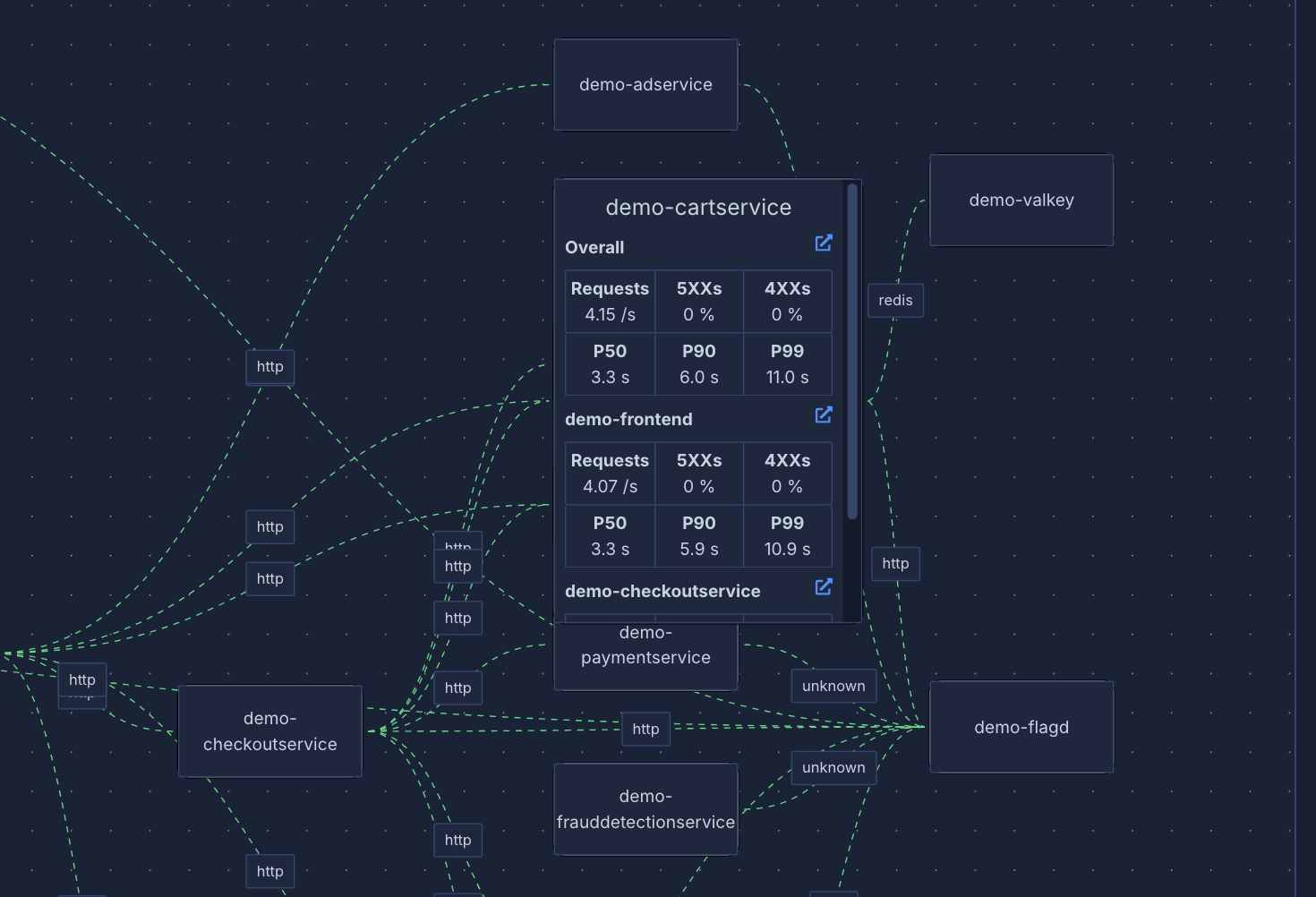
### Service Details
Mouse over any service node to see:
* Incoming request rates
* Connected services
* Traffic patterns
* Service health metrics
## Interactive Features
### Connection Details
Mouse over any connection to:
* View request rate statistics
* Access underlying traces
* See error rates and patterns
* Filter by connection attributes
### Service Details
Mouse over any service node to see:
* Incoming request rates
* Connected services
* Traffic patterns
* Service health metrics
 ## Filtering
### Namespace Filtering
Filter traffic by namespace:
```
# Show requests to services in a namespace
server.namespace = metoro
# Show requests from services in a namespace
client.namespace = metoro
```
### Service Filtering
Filter by service names:
```
# Show traffic to specific services
server.service.name = api.stripe.com
# Show traffic from specific services
client.service.name = metoro-apiserver
```
### Path Filtering
Use regex to filter by HTTP path:
```
# Find v1 trace endpoints
v1.traces
```
## Use Cases
1. **Dependency Monitoring**:
* Track external service dependencies
* Monitor third-party API usage
* Set up alerts for external service issues
2. **Traffic Analysis**:
* Identify communication patterns
* Debug service connectivity issues
* Monitor service health
3. **Error Detection**:
* Quickly spot failing connections
* Investigate error patterns
* Track error rates across services
## Filtering
### Namespace Filtering
Filter traffic by namespace:
```
# Show requests to services in a namespace
server.namespace = metoro
# Show requests from services in a namespace
client.namespace = metoro
```
### Service Filtering
Filter by service names:
```
# Show traffic to specific services
server.service.name = api.stripe.com
# Show traffic from specific services
client.service.name = metoro-apiserver
```
### Path Filtering
Use regex to filter by HTTP path:
```
# Find v1 trace endpoints
v1.traces
```
## Use Cases
1. **Dependency Monitoring**:
* Track external service dependencies
* Monitor third-party API usage
* Set up alerts for external service issues
2. **Traffic Analysis**:
* Identify communication patterns
* Debug service connectivity issues
* Monitor service health
3. **Error Detection**:
* Quickly spot failing connections
* Investigate error patterns
* Track error rates across services